
Key takeaways
Feed quality issues often look small at first, but they can quickly reduce approval health, fragment campaign delivery, and waste Shopping and PMax budget.
A daily data feed monitoring workflow gives ecommerce and performance teams faster detection and clearer ownership before issues escalate.
Track feed quality continuously, not only when disapprovals spike. Combine technical checks with business-impact triage, match cadence to feed update frequency, and route alerts to owners by issue type.
Why data feed monitoring matters for paid performance teams
In Shopping and PMax programs, feed reliability is a performance dependency, not only a technical hygiene task.
When product data degrades, campaign efficiency usually drops before root cause is obvious in top-line reporting. That detection delay is expensive for teams optimizing daily against ROAS and CAC targets.
In our experience supporting feed operations, partial failures are usually more expensive than full outages because they blend into normal campaign volatility before teams can isolate root cause.
Related links
What does Feed Monitor check in practice?
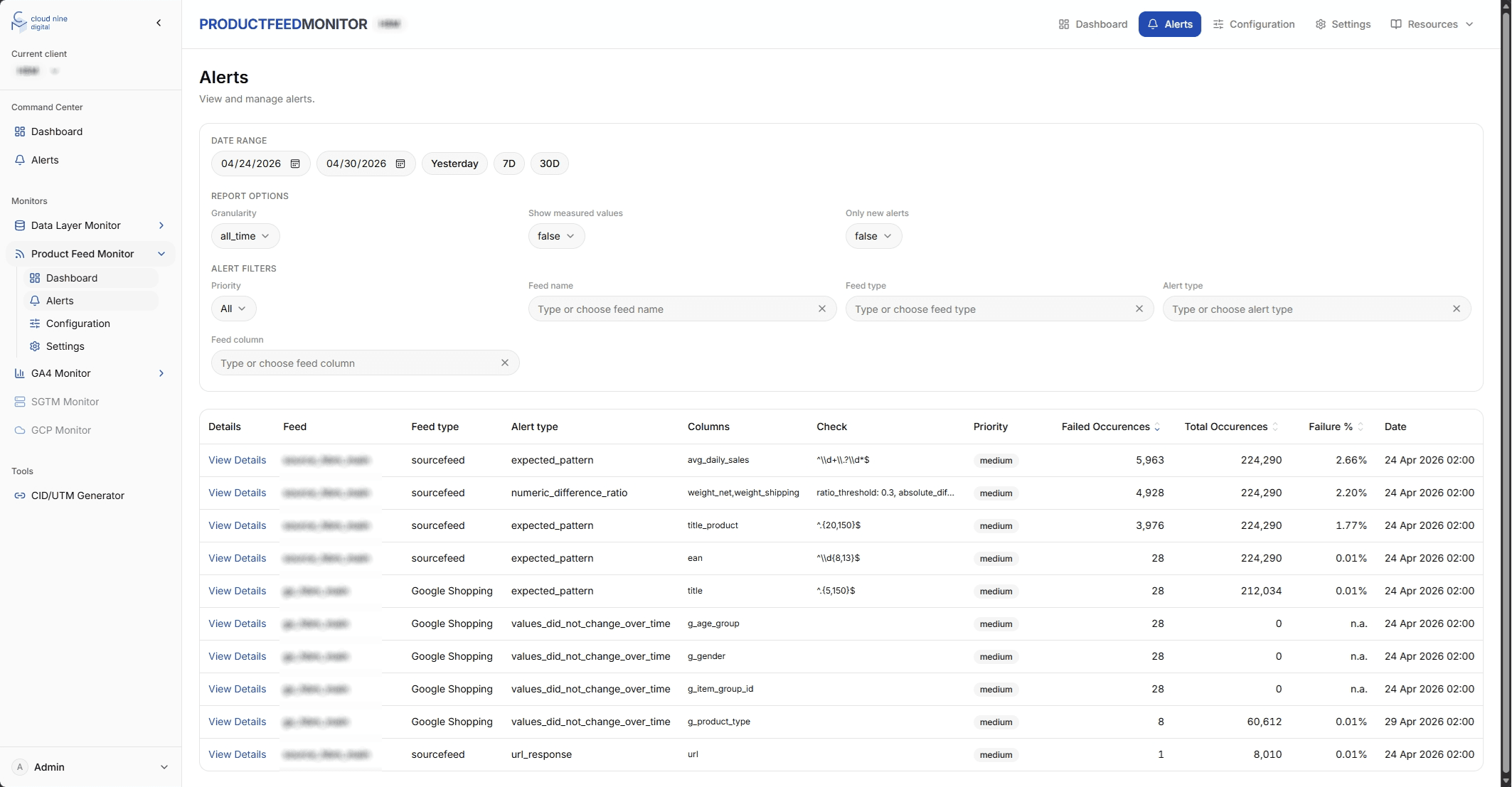
The checklist below is based on the operational checks used in our Feed Monitor workflows for ecommerce teams managing product feeds across ad and marketplace channels.
That includes landing page URL validity, image URL correctness, missing or empty values, wrongly formatted attributes, duplicate entries, missing products, values outside allowed ranges, and prices or quantities that look unexpectedly high or low.
How often should checks run?
Match check frequency to update frequency. If feeds refresh multiple times per day, daily checks alone are usually too slow.
A practical baseline is to set custom check volumes and cadence based on catalog size, channel risk, and promotion intensity.
During sales periods or major catalog changes, increase frequency and tighten alert thresholds to reduce delayed detection.
How should alerts and ownership be set up?
Alerting only works when the right owner receives the right signal quickly. Route high-impact checks to the team responsible for fixing root cause.
For most teams, this means performance marketing owns delivery-impact incidents, feed specialists own attribute quality and structure issues, and ecommerce or engineering supports source-data and landing-page fixes.
Send alerts directly through existing team channels such as email, Slack, or chat, and keep one dashboard view for trend analysis and incident review.
Related links
How do feed issues become budget leakage?
A common incident pattern starts with partial feed degradation: some products fail checks while others remain healthy. Because campaigns continue to run, teams may first interpret results as normal performance volatility.
By the time disapproval volume and efficiency shifts become obvious, budget has already been allocated on degraded product data.
Teams that monitor checks continuously and triage by business impact usually catch these partial failures before they materially affect optimization cycles.
FAQ: what do teams ask most about feed monitoring?
How many checks do we need to start?
Start with critical eligibility, price and availability, and destination URL checks, then expand as catalog complexity grows.
Should checks run hourly or daily?
Match frequency to feed update cadence and campaign risk. High-velocity catalogs usually need more than one run per day.
Who should own feed incidents?
Assign one primary owner for triage, then route sub-issues to channel, ecommerce, or engineering owners.
Can we monitor only ad feeds?
Yes, but monitoring both incoming and outgoing feed flows gives faster root-cause detection.
What should a weekly feed health workflow include?
Daily monitoring catches incidents. Weekly review prevents repeats.
Review incident trends by check type and business impact, identify recurring root causes, adjust thresholds for noisy or high-risk areas, and document owners, response times, and prevention actions.
Bottom line: treat feed quality as an operating process
If feed issues are discovered only after campaign efficiency drops, your detection loop is too slow.
Continuous feed monitoring with clear checks, ownership, and alert routing is what protects Shopping and PMax revenue from preventable data quality failures.